One upload.
Every size you need.
Resize, crop, convert, cut out backgrounds and watermark with query params on the URL. No presets to configure and no origin to set up. Your coding agent can build the URLs for you.

.../img_a61mwawpectd.jpg?size=m&fmt=autoThe same file, six ways
Every tile below is the one photo above. Each URL is live: copy it, change a value, and see what you get.

Named sizes
?size=m s, m and l never enlarge the original. social is a 1200×630 cover crop.

Face-aware crop
?w=400&h=400&fit=cover&gravity=face&zoom=0.7 A square avatar that keeps the face in frame.
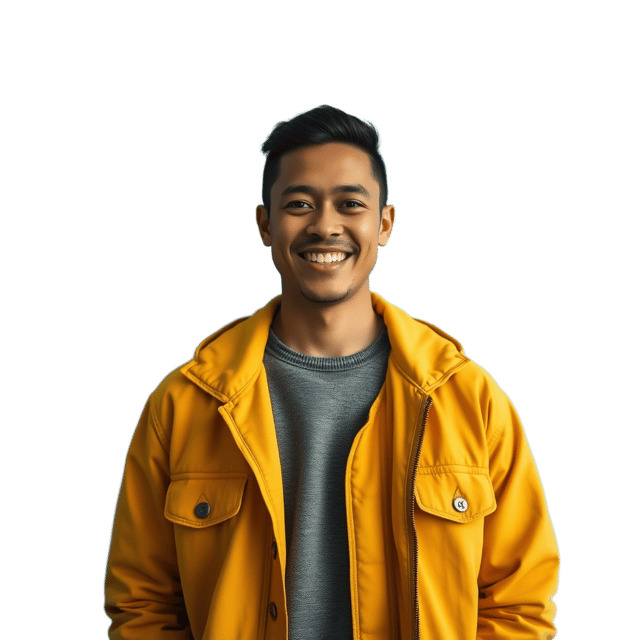
Background removal
?segment=foreground&w=640 The subject on transparent pixels, returned as a PNG by default.
Blur
?blur=30&w=640 Soft backdrops and low-detail placeholders.
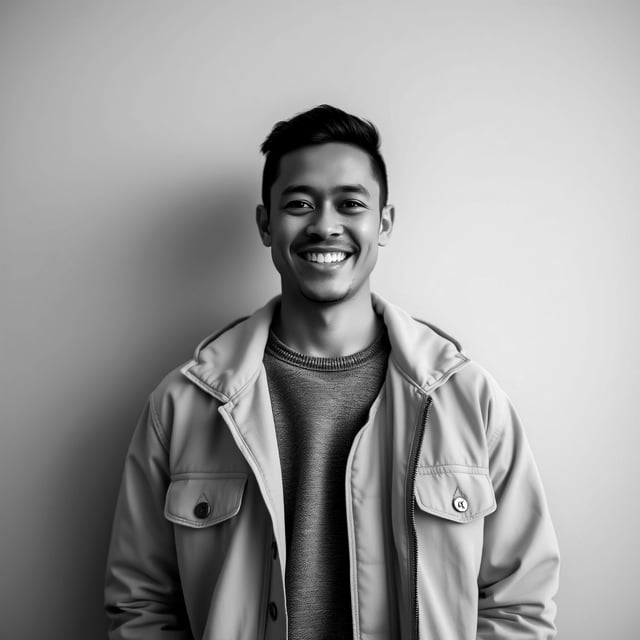
Tone and color
?saturation=0&contrast=1.25&w=640 Monochrome, contrast, brightness, sharpen, rotate and flip.

Social cards
?size=social A 1200×630 cover crop, ready for Open Graph tags.
Values for blur, sharpen, brightness, contrast and saturation snap to the nearest of a few steps, so a request always renders. The docs list them.
Upload once
Through the API, CLI, MCP server or dashboard. You keep a single original.
Add params to the URL
Variants are generated on demand, then cached at the edge for repeat requests.
Serve from the CDN
Served from the global edge with no egress fees, so a popular image doesn't raise your bill.
Ask your agent for the size you need
The PixelVault MCP server includes a transform_image tool. Claude Code, Cursor and other agents can build a valid transform URL instead of guessing parameters.
you    Make a 1200x630 social card from the hero image
agent  transform_image → size=social
https://img.pixelvault.dev/proj_…/img_a61mwawpectd.jpg?size=social
No image yet? Generate one.
Describe an image and PixelVault generates it and hosts it in one call. You get a CDN URL back, so every transform on this page works on it straight away.
Parameters
Size presets work everywhere. The other params need an account: keyless uploads support presets only.
| Param | What it does |
|---|---|
size, w, h, fit | Named presets, dimensions and crop or fit mode. |
gravity, zoom | Face-aware or positional crops. Needs fit=cover or fit=crop; zoom needs gravity=face. |
fmt, q | auto, webp, avif, jpg or png, and quality. |
segment, background | Background removal, optionally over a solid color. |
blur, sharpen, rotate, flip | Geometry and softness effects. |
brightness, contrast, saturation | Tone controls. saturation=0 gives monochrome. |
tile | Watermark with another raster image from the same project. |
Start with one image
Free to start, no credit card. Variants are generated on demand and cached at the edge.